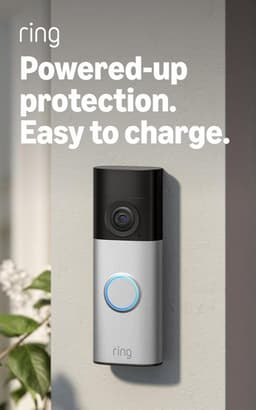
Independent comparisons. We may earn from shop links. More info

How to install a Ring doorbell

Updated: 23 October 2026

This is how to install a Ring doorbell from the listings in our [Ring doorbell comparison](/hub/electronic-surveillance/ring-doorbell): power, then height and holes, then the app, then a tight motion zone. Ring’s note puts the camera at about 1.2 metres and asks for a charge before you commit to the wall. UK reviews add that the new bracket often misses the old screw holes. We wrote this on 21 October 2026 from those reviews and Ring’s UK articles. A qualifying purchase can earn a commission at no extra cost to you.

This is how to install a Ring doorbell from the listings in our Ring doorbell comparison: power, then height and holes, then the app, then a tight motion zone.

Our top picks

On this page

Power before the drill

Charge a battery doorbell before the bracket goes up. On B0FHJ91JY5 at about £39.99 the pack does not slide out, so you charge the whole unit by USB-C. A quick-release Plus, about £49.99 or about £69.99, can charge the pack on its own. A flat pack makes the setup light harder to read. For the wired Retinal 2K, isolate the bell circuit first. That install bypasses the old chime. The plug-in adaptor is on the battery or wired page. Call an electrician if the transformer is in the consumer unit, you cannot read the VA rating, or the cable looks like mains.

Height and old holes

Ring puts a doorbell at about 1.2 metres, high enough for a face and low enough for a parcel on the step. Measure on your frame before you trust the old screw holes. Reviewers on the wired 2K, the battery 2K, and both Plus models say the new bracket needs at least one new hole. One reviewer could not click the doorbell onto the plate, which is a return. These boxes do not include a no-drill mount, and a sticky pad is not in the listing. If you are still choosing wires, use the buying guide before you drill.

Join it in the Ring app

Choose Set Up a Device, spin the setup light, join the temporary Ring Wi-Fi the doorbell broadcasts, then hand it your home network while you can press the control. A Chime (3rd Gen) plugs into a UK socket and links by Wi-Fi or Bluetooth. It is not powered by the bell wires. An indoor camera joins as its own device and is not the chime. The seven reviews on B0GTZSTQQM warn about distance and thick stone. Confirm Live View from the path. Saving that clip is a plan, covered on the subscription page.

Motion zone before you judge the battery

Ring lets you draw up to three motion zones. Cover the step and the person, not the pavement. Wired 2K reviewers say alerts can repeat every few seconds while someone works at the door. On the battery 2K, motion kept firing until detection was turned down. Privacy zones, up to two, block part of the picture and do not stop motion behind them. Package alerts on the 1536p rows need a subscription. If the wired install needs a bypass and you cannot read the transformer, stop and call an electrician.

Common questions

Do I charge before I screw it on?
Yes for a battery doorbell. Ring’s install note says to charge first, and a flat pack makes the spinning setup light and the first Live View unreliable. Built-in packs mean the whole doorbell sits on USB-C. A quick-release Plus pack can charge on its own. Screw the bracket once you know the unit will power on.
How high should it sit?
About 1.2 metres from the ground, which is Ring’s positioning figure, so a face is in frame without lifting the camera so high that the step disappears. Measure on your frame. The ghost holes from an older Ring are not a height guide, because the new bracket is a different shape.
What if the old holes do not fit?
Drill the new pattern. Reviewers on the wired 2K, the battery 2K, and both Plus generations say at least one hole does not line up. Fill or cover the old holes if they will show. A doorbell that will not click onto the plate is a fault to return.
Can I avoid drilling a uPVC frame?
Only if you already have a mount that the listing does not include. These boxes do not state a no-drill bracket. Reviewers who mention uPVC talk about a slimmer body and a two-screw fit, which is still screws. A sticky pad is not a method this set documents.
What do I do in the app after it joins Wi-Fi?
Open Live View from the path and check two-way talk, then draw the motion zone before you leave the app. The chime, if you have one, should sound on a press. Saved video will not appear as a library unless a plan is active. A spinning light that never joins the home network means you repeat the temporary Ring Wi-Fi step, still within reach of the button.
How do I stop the street triggering the battery?
Draw a smaller motion zone around the door, not the pavement. Ring allows up to three zones. On the battery model, reviewers had to turn detection down because motion kept firing. A privacy zone can hide a window in the picture and can still let motion trigger behind it. Judge battery life after that change.
When do I stop and call an electrician?
Stop when the wired install needs a transformer you cannot read, when that transformer sits in the consumer unit, or when the cable might be mains. Ring’s battery hardwire range, about 8–24 V AC and 5–40 VA, is a check, not a prompt to probe unknown conductors. The app, the 1.2 metre mark, and the motion zone do not require an electrician.

Related pages

Sources

Public UK sources from the digest first, then the amazon.co.uk listings compared on this page. The scoring note is dated 21 October 2026.

  1. Ring UK compare doorbells (retrieved 22 October 2026)
  2. Ring Battery Doorbell 2K (retrieved 22 October 2026)
  3. Ring Battery Doorbell 2K Plus (retrieved 22 October 2026)
  4. Ring product name changes (retrieved 22 October 2026)
  5. Ring UK plans (retrieved 22 October 2026)
  6. Ring Live View (retrieved 22 October 2026)
  7. Ring hardwire guidelines (retrieved 22 October 2026)
  8. ICO, home CCTV systems (retrieved 22 October 2026)
  9. Fairhurst v Woodard judgment (retrieved 22 October 2026)