Independent comparisons. We may earn from shop links. More info

How to connect a thermostat to Alexa safely

Updated: October 2026

To connect a thermostat to Alexa, first finish installing and pairing it in the manufacturer’s app. The receiver should be wired, the hub or bridge should be online, and the thermostat should respond inside Hive, tado or Smart Life before you open the Alexa app. The next step depends on whether the product uses an Alexa skill or Matter. This guide covers the digital setup only. It is not authority to open a boiler. If you are still choosing hardware, start with the [Alexa thermostat comparison](/hub/thermostats/alexa-thermostat).

To connect a thermostat to Alexa, first finish installing and pairing it in the manufacturer’s app.

Our top picks

On this page

Before you open the Alexa app

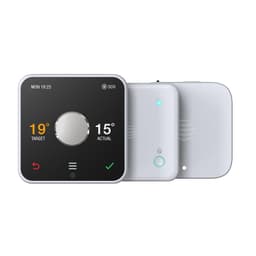
Confirm the exact model and integration route. Hive uses the Hive - Smart Home skill. KETOTEK and Beok products in this set generally use Smart Life or Tuya, so Alexa links to that service account. tado X uses Matter with a compatible Echo or eero and a Thread border router. It does not use the old tado skill in the same way. Similar-looking products can therefore need different steps. Make sure the thermostat is already visible and controllable in its own app. If it is not, Alexa discovery will not repair the underlying receiver, bridge or account connection. For Hive, check that the hub is connected to the router and that the heating device appears in the Hive app. For Smart Life, confirm that the thermostat joined the home and responds to an app temperature change. For tado X, complete setup in the tado app before adding the Matter device to Alexa. Give the thermostat a short, distinct room name such as Hall heating. The Alexa thermostat buying guide explains the hub and wiring differences.

Hive skill, Smart Life skill or tado X Matter

For Hive, open the Alexa app, go to Skills & Games, find Hive - Smart Home, enable it and sign in with the Hive account used for the thermostat. Authorise the link, then ask Alexa to discover devices or use the app’s device discovery. Hive warns that its Alexa integration does not support multi-home setups, so an account containing more than one Hive home may not behave as expected. For a Smart Life or Tuya thermostat, enable the corresponding skill used by the thermostat’s app and link the same account. Do not choose a skill merely because the hardware brand sounds similar. Use the service named in its manual and app. After authorisation, run device discovery and look under thermostats or climate devices. The KETOTEK listings describe Alexa temperature and on/off control, while schedules remain in Smart Life. For tado X, begin in the tado app and locate the Matter connection option for the device. Alexa needs a Matter-capable Echo or eero and a working Thread border router. Enter or scan the numerical Matter code when prompted, then complete the room assignment in Alexa. tado’s guidance is explicit that the old integration path does not control X devices, so disabling and enabling a legacy tado skill will not fix a missing Matter setup. The wired tado X add-on does not include a Bridge X. It needs another suitable Thread border router, and that absence cannot be solved in software. The no-hub Hive listing in this comparison does not name Alexa in its attribute block. Do not assume the documented skill support for the with-hub package proves that this separate ASIN includes everything required.

What you can say and what stays in the app

Once discovery succeeds, begin with a direct command for the named room. Ask Alexa for the current temperature, set the heating to a chosen temperature, or switch a supported thermostat on or off. Exact wording depends on the integration, so check the device card and manufacturer help rather than memorising commands from another brand. A simple room name makes the command easier to resolve. Weekly scheduling usually remains in the thermostat maker’s app. The KETOTEK products offer six periods and several weekly patterns in Smart Life, while Alexa is described for temperature or on/off changes. Keeping the programme in one app avoids conflicting automations. If you create an Alexa routine as well, note which system owns the normal schedule so another person in the house can understand unexpected changes. Hot water is also integration-specific. tado X may provide domestic hot-water functions in the tado app, but tado says Matter voice control does not cover hot water. Hive can support hot-water commands for an appropriate system with a cylinder, but that does not turn a heating-only Hive kit into a hot-water controller. The combi boiler thermostat guide separates those jobs. Voice control depends on the thermostat or hub, your local network, the manufacturer’s cloud where applicable, the Alexa service and the Echo. If broadband fails, local schedules may continue depending on the product, but remote and voice commands may not. Keep a working manual control and know how your installed thermostat behaves offline.

If the thermostat still will not appear

If the thermostat works in its app, refresh Alexa discovery and check for an existing device under a different name. Remove genuine duplicates, rename the remaining device and try one direct command. For a skill integration, disable the correct skill, sign out, enable it again and relink the intended account. For Matter, verify the compatible border router and use the fresh code or setup process specified by tado. Do not move from an app problem to opening the boiler. A receiver that is unpowered, wired incorrectly or losing its radio link needs competent diagnosis. Work that requires opening a gas appliance should be handled by a Gas Safe registered engineer. If the thermostat and receiver communicate locally but Alexa does not, manufacturer support is generally more relevant than a heating engineer.

Common questions

Do I enable a skill or add a Matter device?
Enable the Hive skill for a supported Hive setup and the Smart Life or Tuya skill used by a compatible budget thermostat. Add tado X through Matter with a compatible Echo or eero and Thread border router. Check the exact model because tado V3+ and tado X use different product generations.
Why can Alexa not find the thermostat after account linking?
Confirm the thermostat works in its manufacturer app, then check that you linked the same account and selected the correct home. Run discovery again and look for an old or differently named device. If the thermostat only uses 2.4 GHz, resolve that network connection before troubleshooting Alexa.
Can I set the weekly schedule by voice?
Do not assume so. The KETOTEK listings place weekly programming in Smart Life and describe Alexa for temperature or on/off control. Other integrations may allow routines, but the manufacturer’s app should remain the source of truth unless its documentation clearly supports schedule editing by voice.
Does tado X use the old tado Alexa skill?
No. tado’s X guidance uses Matter and requires compatible Alexa hardware plus a Thread border router. Set up the X device in the tado app first, then add it with the Matter code. Re-enabling a legacy skill does not provide the required Thread infrastructure.
When should I call an engineer?
Call a competent heating professional if the receiver has no power, loses its boiler link or needs rewiring. Use a Gas Safe registered engineer where diagnosis requires opening a gas appliance. If local heating control works and only Alexa discovery fails, contact the thermostat or integration support service first.

Related pages

Sources

Public UK sources for Gas Safe, Boiler Plus in England, and notifiable electrical work. Listings are the amazon.co.uk captures for these ten ASINs, not a live reload on 17 October 2026. Prices on amazon.co.uk move.

  1. Boiler Plus factsheet (retrieved 17 October 2026)
  2. Approved Document P (retrieved 17 October 2026)
  3. HSE gas FAQ (retrieved 17 October 2026)
  4. Google Nest help (retrieved 17 October 2026)
  5. Hive Alexa (retrieved 17 October 2026)
  6. tado X Alexa (retrieved 17 October 2026)
  7. tado UK, boilers and underfloor heating (retrieved 17 October 2026)
  8. Hive shop, thermostat (retrieved 17 October 2026)