Independent comparisons. We may earn from shop links. More info

How to set up a Wi-Fi water leak detector

Updated: 16 October 2026

The box is open on the kitchen table, the puck has beeped once, and your phone is still silent. How to set up a Wi-Fi water leak detector, for the alarms in the [Wi-Fi water leak alarm comparison](/hub/burglar-protection/water-leak-alarm-wifi), means pairing on a real 2.4 GHz network and wetting the probes until a notification arrives. A siren on its own is not the end of setup. The Products Compared editorial team did not run these steps on a bench. Button timings below are that brand's instructions, not a universal sequence. A qualifying amazon.co.uk purchase can earn a commission at no extra cost to you.

The box is open on the kitchen table, the puck has beeped once, and your phone is still silent.

Our top picks

On this page

Before you tap Add device

Start with the network. These sensors and the X-Sense base join 2.4 GHz. If the phone is on a 5 GHz name, the app can fail while the light still looks busy. Use the 2.4 GHz name and stand close to the router. Open the matching app. SwitchBot is for the three SwitchBot listings. X-Sense Home Security is for the SWS54 kit and the SWS0A add-on. Smart Life or Tuya is what the Mengshen bullets name. Fit the batteries the box actually contains. The SWS0A includes two AAA and still cannot finish a phone setup without a base. The checks before you paid are the buying guide.

Pair a direct Wi-Fi sensor

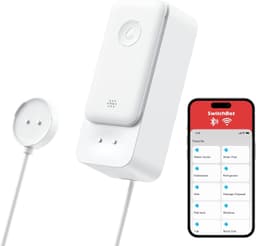
For a SwitchBot, follow the help page updated on 15 March 2024. Insert the batteries, open the app, tap plus, choose Add Device, then Sensor, then Water Leak Detector. Hold the button for two seconds until the light flashes quickly, tap Connect Device, and enter the 2.4 GHz name and password. There is no hub step. If the password fails, check case and move closer to the router. That two-second press belongs to SwitchBot. Mengshen and DAYTECH use Smart Life or Tuya, so follow those screens rather than the SwitchBot hold. Finish the wet test on the table before you move the unit. Email is a SwitchBot alert, not a feature of every brand here.

Pair the X-Sense base, then the sensor

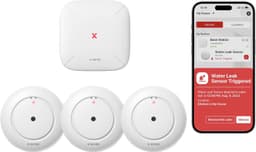
If the box is an X-Sense, the base comes first. Plug the SBS50 in with the adapter. That adapter is in the SWS54 kit at £55.99. It is not in the SWS0A box at £13.59. If you only have the add-on and no base on the wall, stop. Whether to buy the kit is the direct or base-station page. In the X-Sense Home Security app, scan the QR code, hold Pair for five seconds until the LED flashes yellow, and enter the 2.4 GHz password. The manual says the base is incompatible with 5 GHz, and it gives the EU sensor link as 868 MHz. Do not type 868 into the Wi-Fi field. Add the sensor only after the base is online. The SWS54 device test is three beeps, a red LED and a push notification.

Wet test until the phone alerts

For SwitchBot, the help page updated on 3 December 2024 is the wet test, and these timings are SwitchBot's only. Allow notifications. Turn Bluetooth off on the phone so a local link does not look like Wi-Fi. Submerge the electrodes or the cable, and do not dry them mid-wait. The notification often arrives in 30 to 120 seconds. For the X-Sense kit, look for three beeps, a red LED and a push notification. Do not borrow the 30 to 120 second window. For Mengshen and DAYTECH, wet the probes and wait for the notification that app sends. Stop when the phone shows the alert. A real burst is separate: stopcock clockwise, boiler off, stay off wet electrics.

Common questions

Why will my water leak detector not join the Wi-Fi?
The usual cause in this set is a 5 GHz network name. Direct sensors and the X-Sense base use 2.4 GHz. Check that the password is case-sensitive, and move closer to the router. A SwitchBot does not need a hub step. An X-Sense sensor joins the base after the base is on 2.4 GHz. Do not reuse a button timing from another brand's guide.
Do I set up the X-Sense sensor or the base first?
Set up the SBS50 first. Plug it in, scan the QR in the X-Sense Home Security app, hold Pair for five seconds until the LED flashes yellow, and join 2.4 GHz. Add the sensor afterwards. The adapter is in the SWS54 kit and not in the SWS0A box. With only the add-on and no base, the phone path cannot be finished.
How long should the wet test take?
On a SwitchBot, the help page says the sound lasts about 60 seconds by default, then can fall silent while the notification is still on its way, often within 30 to 120 seconds. Those numbers are SwitchBot's only. For the SWS54, look for three beeps, a red LED and a push notification.
Can I pair a Mengshen or DAYTECH like a SwitchBot?
Use the same 2.4 GHz rule, and do not use the same two-second hold. Mengshen's bullets name Smart Life or Tuya. DAYTECH's bullets say no hub and 2.4 GHz only, and the specification does not name the app. Reviews mention Tuya. Follow that app's screens, then wet the probes until the phone alerts.
Will the SWS0A set up on its own?
No. App features need the SBS50, and that base is not in the box. The alarm, up to 100 dB, is stated on the base, with a red light on the puck. Add this sensor only after a base is already paired.
When do I stop and call a plumber?
Call a WaterSafe plumber if the stopcock is missing or seized, if water continues after it is shut, or if the leak may be the buried supply pipe. Fitting the battery sensor is not that job. For a real burst, shut the stopcock clockwise, turn the boiler off and keep off wet electrics. That Met Office advice is for the emergency, not for a cup of water on the probes.

Related pages

Sources

Public UK sources and the amazon.co.uk listings in this comparison. Last checked 15 October 2026.

  1. GOV.UK: Radio Equipment Regulations 2017 (retrieved 15 October 2026)
  2. GOV.UK: regulations for consumer connectable product security (retrieved 15 October 2026)
  3. Ofwat: supply pipes (retrieved 15 October 2026)
  4. Building Regulations 2010, regulation 36 (retrieved 15 October 2026)
  5. Met Office: frozen or burst pipes (retrieved 15 October 2026)
  6. Aviva: water damage and escape of water (retrieved 15 October 2026)
  7. SwitchBot UK: water leak detector (retrieved 15 October 2026)
  8. X-Sense: SWS54 smart water leak detector kit (retrieved 15 October 2026)