How to set up a WiFi smoke alarm
The box is open, the phone is on the fast network, and the alarm is about to go on the ceiling before anyone has heard it from the bedroom. How to set up a WiFi smoke alarm, on these amazon.co.uk kits, is shorter if you pair it while you can still hold it. Peter F. used the listings from 19 October 2026 and the SBS50 manual for the hub path, and did not rank the alarms or run a lab test. A qualifying purchase can earn a commission at no extra cost to you. Which box you bought is on the [smart home smoke alarm comparison](/hub/fire-protection/smart-home-smoke-alarm).
The box is open, the phone is on the fast network, and the alarm is about to go on the ceiling before anyone has heard it from the bedroom.
The box is open, the phone is on the fast network, and the alarm is about to go on the ceiling before anyone has heard it from the bedroom. How to set up a WiFi smoke alarm, on these amazon.co.uk kits, is shorter if you pair it while you can still hold it. Peter F. used the listings from 19 October 2026 and the SBS50 manual for the hub path, and did not rank the alarms or run a lab test. A qualifying purchase can earn a commission at no extra cost to you. Which box you bought is on the smart home smoke alarm comparison.
Our top picks
| Badge | Product | Connection | App | Interlink | Note | Price | Offer |
|---|---|---|---|---|---|---|---|
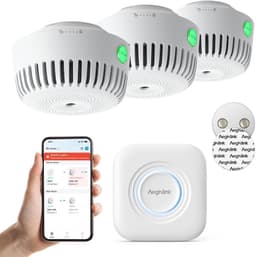
| Best overall |  AEGISLINK AEGISLINK Smart Smoke Alarm with Magnetic Mount, ASW-MR31 | 2.4 GHz Wi-Fi with its own base station | Own app; sharing, drills, history | Not stated | 5.6 | about £77.99 | View offer |
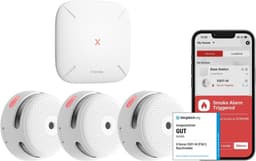
 X-Sense X-Sense Wi-Fi Smoke Alarms with SBS50 Base Station, FS31 | 2.4 GHz Wi-Fi via SBS50 base station | X-Sense Home Security; test, silence, share | Yes, wireless, with the base station | 7.6 | about £63.99 | View offer | |
| Best value |  X-Sense X-Sense Wi-Fi Smoke Alarm with Voice Alerts, XS0B-iR | Wi-Fi direct, 2.4 GHz | X-Sense Home Security; share up to 12 | No | 6.5 | about £25.49 | View offer |

On this page
Get onto 2.4 GHz before you climb
Fit it on the ceiling, then listen from the bedroom
Press the button until it sounds
If it still will not join
Common questions
How do I set up a Wi-Fi smoke alarm?
Why will it not join my 5 GHz network?
Do I pair the base station before I climb the ladder?
Where should the alarm go?
How do I know the test worked?
What do I change if the voice comes out in German?
Related pages
Sources
Public UK sources from the research digest, last checked on 19 October 2026. Prices, stars, and review counts are the amazon.co.uk lines captured that day.
- GOV.UK — Smoke and Carbon Monoxide Alarm (England) Regulations, landlord booklet (retrieved 19 October 2026)
- legislation.gov.uk — England, smoke and carbon monoxide alarms, regulation 4 (retrieved 19 October 2026)
- Scottish Government — fire and smoke alarms in Scottish homes (retrieved 19 October 2026)
- Scottish Fire and Rescue Service — smoke and heat alarms (retrieved 19 October 2026)
- legislation.gov.uk — Wales, fitness for human habitation, regulation 5 (retrieved 19 October 2026)
- legislation.gov.uk — Northern Ireland private tenancies, 2024 (retrieved 19 October 2026)
- London Fire Brigade — smoke alarms and heat alarms (retrieved 19 October 2026)
- Which? — how to buy the best smoke alarms, 12 May 2026 (retrieved 19 October 2026)